Customize your Tandem Event Wizard

Each organization is unique in their various scheduling needs. With that in mind our latest update will to allow you to customize the Event Wizard to better suit your needs. You will now be able to move fields around, simply move your mouse over the handle on the left side of a field, then click and hold to drag it elsewhere on the form. Hide fields that you never use into the collapsed “More Options” area and move others that you use more frequently out of the collapsed part of the wizard. We hope this helps you tailor Tandem in ways that work best with your organization and team.
Overview – Tandem Pages

A page is a calendar landing page with a custom set of events that you define by using your locations, tags, groups, or equipment. Pages display events that are already on your calendar.
Examples: sports schedules, group events, yearly calendars, or any custom list of events you want to create.
Anyone viewing a Page online can sign up to “Get Updates” (via email or text messages) when events are added, updated, canceled, or rescheduled.

Creating a Page is simple. Using your custom groups, locations, or tags, simply select what you wish to display, add a title for your Page, and click “create”. Tandem will create custom landing page, and website url, so your page can be shared.
All of your pages will be listed in the Pages area, and each Page can be integrated into your website.

Pages can be displayed publicly on the web or privately to your internal team.
Pages are a part of all paid Tandem accounts. Accounts on our free version are able to create 1 Page.
Note: Pages replaces our previous “Reports” experience.
We are so excited to see what type of Pages you create!
A new, new website!
Hey everyone in Tandem schedule-land. We’ve recently updated our site with more information about what Tandem does, along with some case studies of some of our current Tandem users. We’ve simplified the signup process for both school administrators, and for parents and students looking for their school’s Tandem schedule.
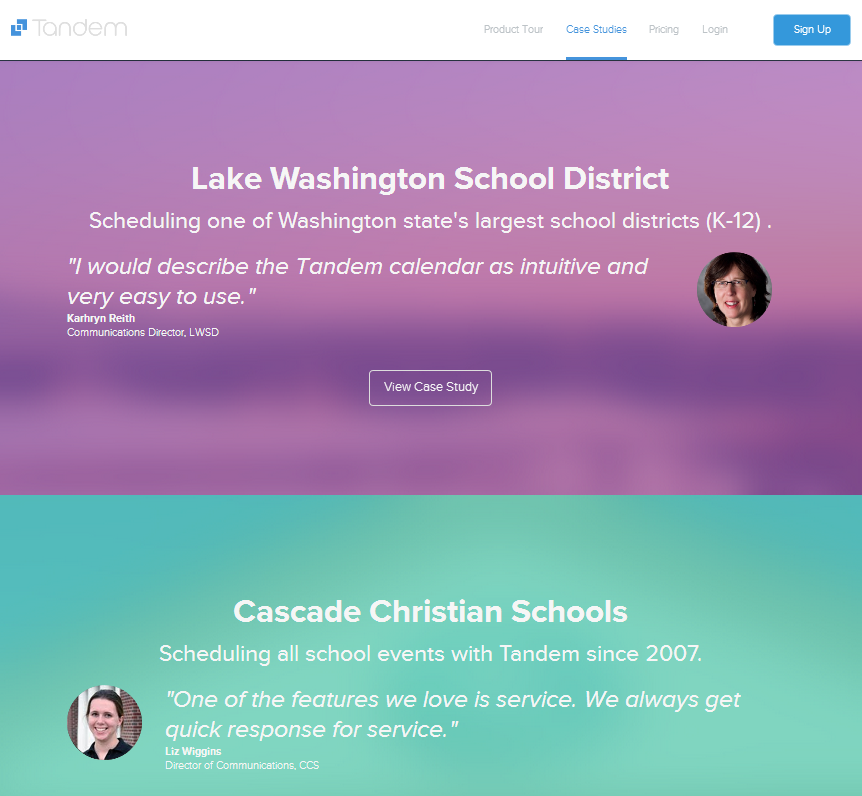
We hope this makes it easier to learn more about what Tandem does, and easier for our current and future users to sign in from our website.
Enjoy the Spring!
Hey, look at that! A new Tandem website!
We hope you enjoy our new, responsive website. We’ve been working on our design to automatically format the size based on the devise that you are using: a laptop, tablet or mobile phone. So, whatever device you’re reading this on, it should look great! And, if it doesn’t… please let us know 🙂 support@tandemcal.com
Also, we’re happy to announce that we’ve acquired the www.tandem.co url, which for the time being, with re-direct to www.tandemcal.com. But, over time, we will be transitioning to the www.tandem.co website, because… well, basically, it’s just better. What’s the name of our app? Tandem! And now, what is the name of our website? Tandem.co! Hooray for shorter urls!
We wish everyone out there in school-land a Merry (upcoming) Christmas!
Happy scheduling with Tandem!
Coming soon to a calendar near you
No blog posts since January?
What happens when a technology company goes silent for a few months? A lot can happen. Some good, some not so good.
So, what’s happening here at Tandem? A lot.
Over the past year, our team at Tandem has taken a really hard look at what the world of schools, school districts and universities need when it comes to a scheduling application. We’ve proactively reached out to over 1000 schools to find out what’s working, what’s not working and what they need next from Tandem.
And then, we got to work.
The long haul is almost over. We have some awesome announcements, features and updates to send your way soon.
We congratulate every school and university on the close of another year. Just know that when the next year starts in Sept, you are going to love Tandem that much more.
More updates soon!
Tandem in the top 100
We are excited to announce that for the 2nd year in a row, Tandem has been chosen by District Administration as a Top 100 Product!

Dear Paper-Based Scheduling Systems
Hi there! I know you’ve seen me around these past 5 years, but I don’t know that we’ve had a chance to be properly introduced. And, with so many new exciting things coming up for me, I thought it would be smart to reach out, say hello and cover a few things.
First, I want to compliment your willingness to step into your role almost 2000 years ago. It must seem like yesterday. When humans first discovered that they could contextualize time by breaking things down by years, months, weeks, days, hours, minutes and seconds, their brains were naturally overwhelmed at managing all the things they were in charge of organizing in their own heads. They needed a worthy counterpart to help them stay on track. This is where you came in.
And, without complaint, you have served them all well. Extremely well, in fact. You’re always on hand and can be easily portable. Events can be erased and repositioned; and you worked into something they already know and have: pencil and paper.
For centuries this has worked, and worked well. Paper based planning and scheduling has come to be the norm once someone has too much in their head. And, they have worked equally as well for schools, universities, businesses and organizations.
But, times have changed.
People are busier now.
People desire to be more connected.
People want digital backups.
People now collaborate with others around the world via the internet.
People carry mobile devices that have very functional calendars on them.
People want a window into how they are managing resources, rooms and organizations.
People want to know they are organized.
People want technology to empower them to do more with less.
People want technology to simplify their lives.
While out of no fault of your own, people have outgrown you, in need of something faster, more connected; frictionless. Something that shows them how rooms, people, teams and groups are being scheduled. A system that helps them collaborate together when they are not in the same room.
You have to admit, they brought this on themselves. Many of them long for the simpler life they once had. The time has come again where people must evolve from the new pressures of the current state of scheduling. Their situation in history demands it.
So this is where I come in. A new scheduling tool for where schools and universities are at today. A connected scheduling tool using the internet. A online tool that allocates facilities to teams or groups of people. A tool that updates a personal digital calendar automatically. A tool that posts a schedule to the social networks that are most used. A tool that is simple to use. A tool that, sadly for you, isn’t paper and pencil.
To be frank, people have known about your limitations for a while now. And, many people will continue to use paper and pencil for their own personal calendar, to keep them organized. They find comfort in its simplicity. But people who schedule schools and universities deserve better. They demand better. And today, they have an option.
Please don’t take this personally. I aspire to be as relevant as you’ve been all these years. So, take some “time off”. Relax. Schedule a cocktail or two. You deserve it. Focus on staying relevant in the personal digital calendar market (just beware that the names like Outlook, iCal, Google Calendar, Yahoo Calendar will come up often. I’ve seen them, and they are really, really nice).
As for scheduling schools and universities, just realize that from now on, I got this.
Your digital friend,
Tandem.
Back to School… & Tandem!
With the rush back to school, it is important to make sure that your favorite online school calendar is up-to-date. Here is a quick list of items to check before school starts:
1. TandemCal URL: Be sure that you are using the new UI for your calendar. To find the new version, just replace ___________.intand.com with _____________.tandemcal.com.
2. Import Events: Be sure to use the mass import feature of Tandem when adding school events and you will save your self some precious time.
3. Add new users: Do you have new staff and parents that need to use the calendar? Again, use the mass import function to save yourself time or have individuals add themselves.
4. Sync w/Athletic Scheduler: Does your athletic director use a separate program to manage athletics? Contact our support team to have those events automatically added to your school calendar.
5. Approval System: The beginning of the school year is a great time to review your approval system and to make sure it still is meeting your needs.
How To: Add Menu
At Tandem, we want your organization to have one online school calendar for ALL events. To accomplish this goal, there is a little known feature of the Tandem calendar that allows you to post your organization’s menu to your favorite online school calendar. To do this, follow these simple instructions:
1. Select the Menu Tab
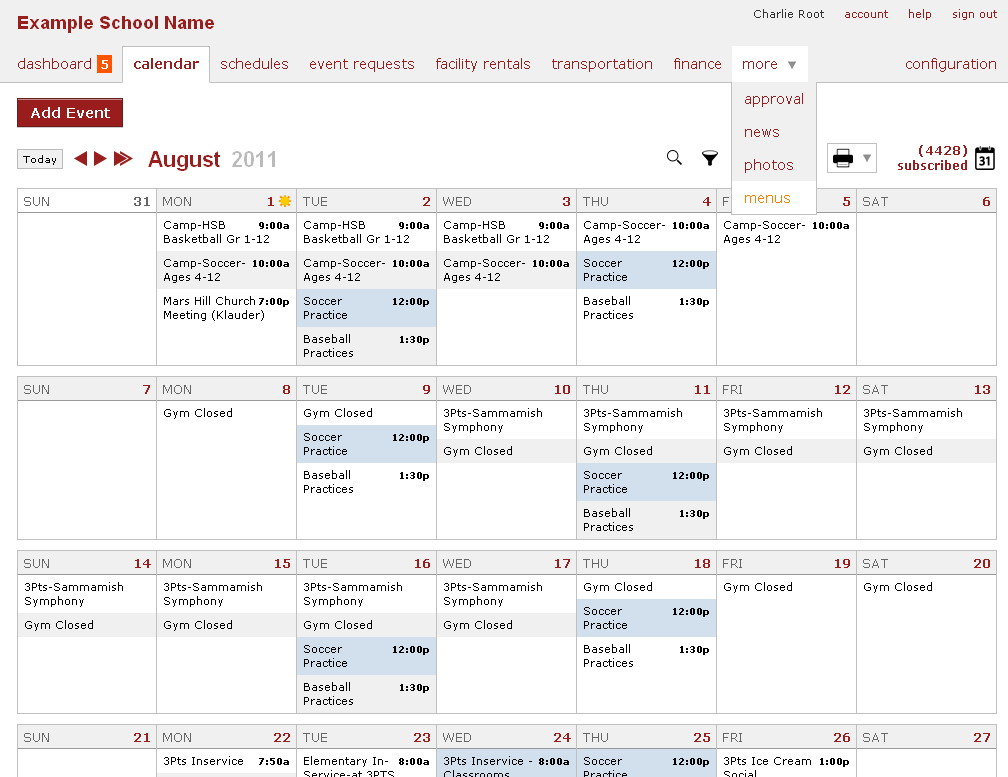
2. Select “Add” from Menu view.
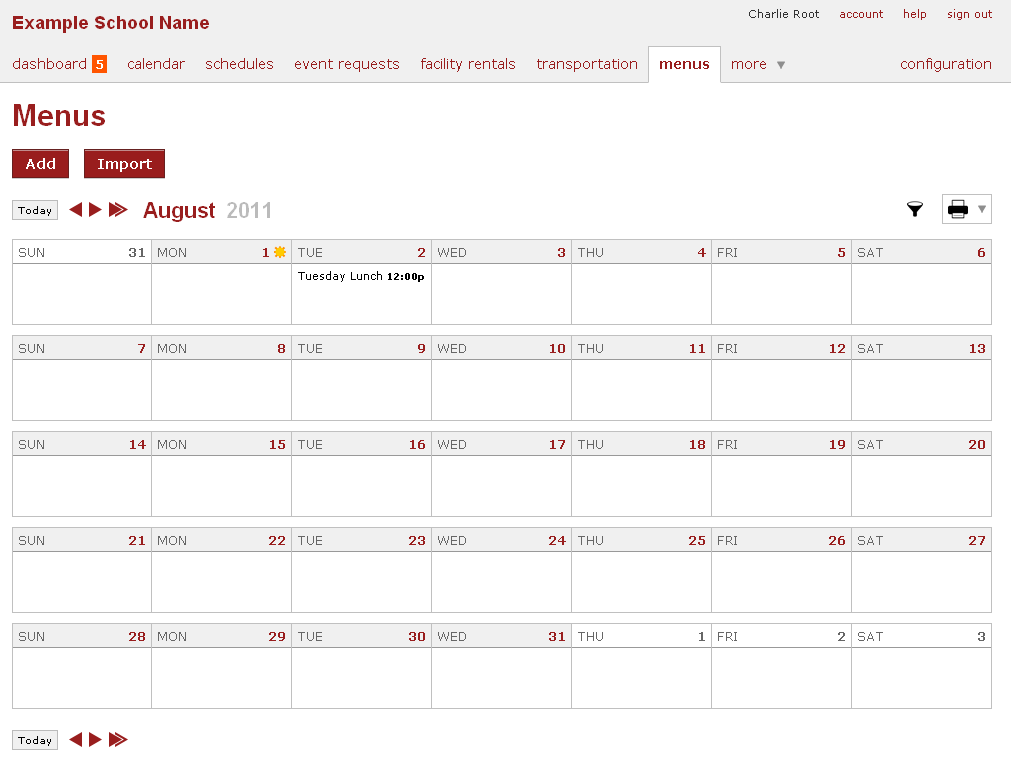
3. Enter the necessary information. If you do not have any menu types yet, enter them now.
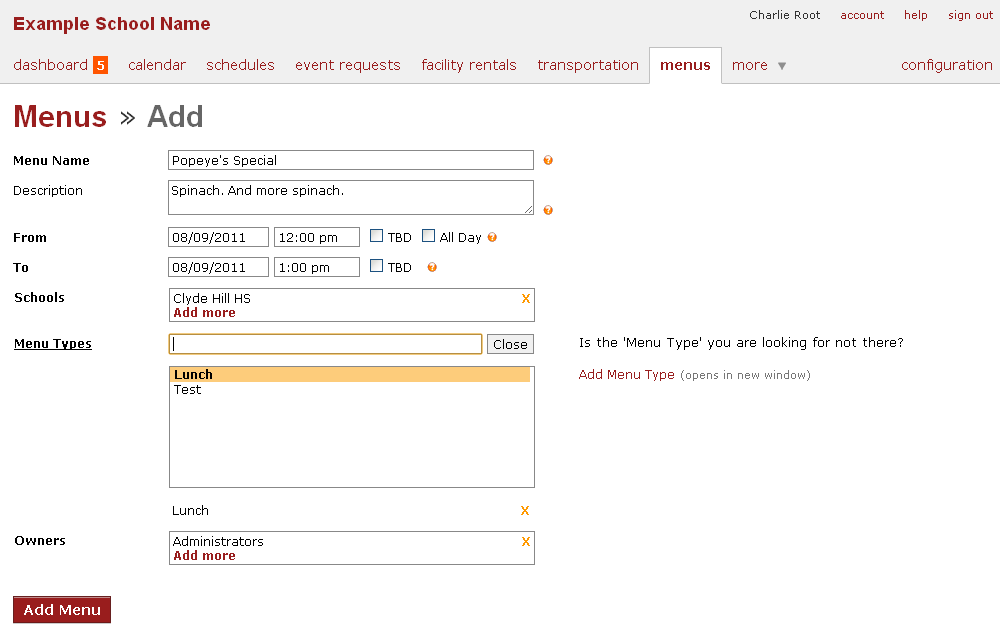
Now, your menu is available and ready to be enjoyed!
College Event Calendar
The Tandem Calendar is a very powerful tool for an organization of any size. That is why we are not surprised to see the recent interest from colleges and universities in the Tandem event calendar. We are glad to see that Salem State, University of Washington, University of Alabama, and Ohio Northern University are all now using their Tandem calendar. Here are just a few reasons community colleges and universities are using Tandem:
Community Colleges: Needing a way to rent unused facilities to community groups, community colleges often benefit from the ability to place ALL school events in one place online. With this ability, community colleges can rent facilities with confidence knowing that the facility is not being used by any other group at that time. Tandem simplifies the process further by allowing community groups to pay online using a credit card.
Universities: With a large amount of events occurring in just each department, universities need an easy way to communicate events across all departments. With the Tandem calendar, we often see music or athletic departments benefit the most from its use. These departments benefit greatly from the ability to submit internal and external event requests, create customizable approval systems, and the ability to make certain events private.